


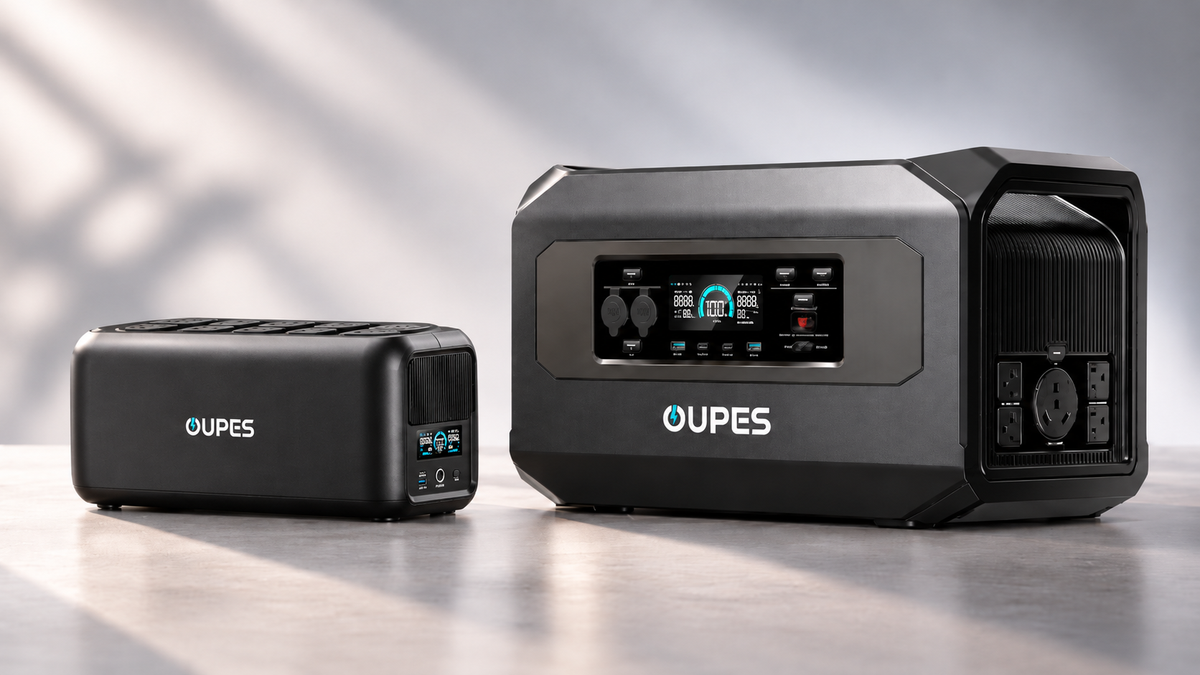
When a sudden power outage occurs, a desktop computer may shut down instantly, unsaved files may be lost, and home networks or NAS storage devices may go offline. For remote workers, gamers, and small businesses that rely on electronic equipment, backup power is not just about keeping devices running. It also plays an important role in data protection and business continuity.
When choosing a backup power solution, an Uninterruptible Power Supply (UPS) and a portable power station are two common options. Both can provide electricity when utility power fails, but they differ significantly in their design purposes and operating principles.
Traditional UPS systems focus on power continuity and power quality, while portable power stations generally emphasize battery capacity, mobility, and flexible charging options. In recent years, advances in lithium battery and inverter technology have enabled some portable power stations to offer UPS functionality, gradually blurring the distinction between these two product categories.
So, what exactly is the difference between a UPS and a portable power station? What do 0ms and 10ms transfer times mean? And which solution should you choose for computers, NAS systems, home offices, or extended power outages?
What Is a UPS (Uninterruptible Power Supply)?
A UPS is a power protection system designed to provide backup electricity to connected devices when utility power is interrupted or becomes unstable.
Its primary purpose is to prevent equipment from shutting down immediately during an unexpected outage and, when necessary, improve the quality of the electricity delivered to connected devices. Depending on the design, a UPS may also provide voltage regulation, power status monitoring, alerts, and automatic safe shutdown capabilities.
For example, if a desktop computer suddenly loses power while running, unsaved data may be lost. With a suitable UPS connected, users can usually gain enough backup time to save their work and shut down the system properly.
For NAS devices, servers, and networking equipment, a UPS can also work with management software to initiate an automatic shutdown when the battery reaches a predefined threshold.
However, a UPS is not necessarily designed for extended backup power. Many consumer UPS systems are intended to provide several minutes to several dozen minutes of runtime rather than keep all connected equipment operating for hours.
The Evolution of UPS Technology and Three Main Topologies
UPS technology was originally widely used in computer systems, telecommunications infrastructure, and industrial control applications. As personal computers, networking equipment, and data storage systems became more common, UPS systems gradually entered homes and small offices.
Early consumer UPS systems generally used relatively simple standby designs to address unexpected power interruptions. Later, as demand for more reliable electricity increased, line-interactive and online double-conversion technologies became more widely adopted.
The main technical differences among modern UPS systems involve how utility power reaches the connected load and how the battery takes over when an outage occurs.
According to Eaton's technical overview of UPS topologies, the three most common UPS architectures are as follows.
1. Standby UPS
A standby UPS is one of the simplest types of UPS systems.
Under normal conditions, connected equipment primarily receives utility power that has undergone basic protection. When the UPS detects a power outage or a significant voltage abnormality, it switches to its internal battery and inverter.
This architecture is characterized by relatively low cost, simple construction, and high efficiency during normal operation.
However, because the power path must switch, a brief transfer time is usually involved. Eaton's technical documentation indicates that a typical standby UPS generally has a transfer delay of approximately 10 milliseconds or less, depending on the product design.
Standby UPS systems are commonly used with standard office computers, monitors, routers, and similar devices. For equipment that is particularly sensitive to power interruptions, compatibility should be verified before use.
2. Line-Interactive UPS
A line-interactive UPS builds on the basic standby UPS architecture by adding more advanced voltage regulation capabilities.
One of its important features is Automatic Voltage Regulation (AVR).
When the incoming voltage becomes moderately high or low, the UPS can correct it through its internal voltage regulation circuitry without switching to battery power every time.
This helps reduce unnecessary battery discharge and may contribute to longer battery service life.
When utility power fails completely or the input voltage moves beyond the adjustable range, the UPS switches to battery and inverter operation.
Line-interactive UPS systems are commonly suitable for home offices, small networks, NAS devices, and general IT equipment.
It is important to note that line-interactive UPS systems may still have a measurable transfer time. Some models provide pure sine wave output, while others use simulated sine wave output. Therefore, UPS topology alone does not determine the output waveform.
3. Online Double-Conversion UPS
An online double-conversion UPS uses a different power delivery principle.
During normal online operation, incoming AC power is first converted into DC power through a rectifier. An inverter then converts that DC power back into AC electricity to continuously supply connected equipment.
The basic power flow is:
Utility AC Power → Rectifier (AC/DC) → DC Bus → Inverter (DC/AC) → Connected Equipment
The internal battery is connected to the DC system through the appropriate battery management and power conversion circuitry. When utility power is interrupted, the battery takes over supplying the DC bus while the inverter continues delivering AC electricity to the load.
Because the connected equipment is continuously powered by the inverter during normal online operation, the UPS does not need to switch its output path in the same way as a standby UPS.
This is the main reason why an online double-conversion UPS can achieve a 0ms transfer time.
In addition, the online double-conversion architecture continuously regenerates the output voltage and can regulate various input power abnormalities. Compared with architectures that primarily pass utility electricity directly to the load, it generally provides more comprehensive power conditioning.
This type of UPS is suitable for workstations, servers, networking equipment, and storage systems that require a higher level of power stability.
However, online double conversion also involves certain trade-offs. Its circuitry is more complex, prices are generally higher, and the continuously operating inverter introduces conversion losses, heat, and long-term energy consumption considerations.
Therefore, not every device requires an online double-conversion UPS. The appropriate architecture should be determined by the connected equipment and the actual power environment.
What Is a Portable Power Station?
A portable power station is an energy storage device that integrates rechargeable batteries, an inverter, a charging management system, and multiple power output interfaces.
It can be charged through a wall outlet, while some models also support solar panels, vehicle charging, and other charging methods.
Compared with traditional UPS systems, portable power stations focus more on providing convenient access to electricity in different environments.
For example, they can power lights, laptops, and phones during camping trips, operate small appliances during RV travel, or supply backup electricity to routers, lighting, and other essential devices during household outages.
Modern portable power stations typically provide multiple AC, USB, and DC output ports, and some models support expandable battery capacity.
In recent years, lithium iron phosphate (LiFePO4) batteries have become increasingly common in portable energy storage products. This battery technology offers favorable cycle-life characteristics, although actual battery longevity still depends on temperature, usage conditions, and the battery management system.
Some portable power stations also offer UPS or EPS functionality, allowing connected equipment to receive power while the station is plugged into utility electricity and automatically switch to battery power when the grid fails.
However, supporting automatic backup power does not necessarily mean that a portable power station uses a professional online double-conversion architecture.
UPS vs Portable Power Station: Key Differences
| Comparison | Professional UPS | Portable Power Station |
|---|---|---|
| Primary Purpose | Continuous power and equipment protection | Energy storage and flexible power supply |
| Power Architecture | Standby, line-interactive, online double conversion, and others | Battery, inverter, and charging management system |
| Transfer Time | Depends on topology; online double-conversion mode can achieve 0ms | Varies by model |
| Power Conditioning | Professional models generally offer more comprehensive power conditioning | Depends on product design |
| Battery Capacity | Typically optimized for backup runtime; expandable on some systems | Usually offers a wider range of capacity options |
| Output Waveform | Some models provide pure sine wave output | Some models provide pure sine wave output |
| Solar Charging | Generally unavailable on consumer UPS models | Available on selected models |
| Software Management | May support automatic shutdown and status monitoring | Often includes app monitoring and charging management |
| Typical Applications | Computers, NAS systems, servers, and small offices | Outdoor activities, RVs, and home emergency backup |
These differences reflect common product positioning rather than absolute technical limitations.
High-capacity UPS systems can deliver extended backup runtime, while some portable power stations offer fast transfer capabilities. The deciding factors are the specific product's power architecture and technical specifications.
What Do 0ms and 10ms Transfer Times Mean?
Transfer time is an important specification when comparing certain UPS systems with portable power stations.
When utility power fails, a backup power system must maintain its output. If the power path needs to switch, the connected load may experience a brief interruption in voltage.
According to Schneider Electric's technical explanation of UPS operation, an online double-conversion UPS can provide zero transfer time when the battery takes over during normal online operation. Traditional ECO modes typically use a different power path to improve operating efficiency.
This means that 0ms and 10ms are not merely two numerical specifications. They may reflect different power operating modes.
For a desktop computer, the ability to tolerate a brief interruption also depends on the power supply's hold-up time.
For example, if a computer's power supply can maintain its output briefly after input electricity disappears, a UPS with a transfer time of several milliseconds may still be sufficient.
However, equipment operating at high loads, with limited power supply margins, or with sensitive power requirements should be tested for compatibility.
Therefore, a 0ms online mode eliminates the output transfer gap during a normal transition from utility power to battery power, but it does not guarantee uninterrupted operation under every abnormal condition, overload, or equipment failure.
Power Quality: Why Do Professional UPS Systems Focus on Stable Output?
Power problems are not limited to complete outages. They can also involve voltage sags, overvoltage, frequency fluctuations, and certain types of electrical interference.
Different UPS architectures handle these issues in different ways.
Standby UPS systems primarily offer basic backup capabilities. Line-interactive systems can adjust voltage within a defined range, while online double-conversion UPS systems continuously regenerate the output through power conversion.
For high-performance computers and certain IT devices that use active Power Factor Correction (PFC) power supplies, the output waveform is also worth considering.
Pure sine wave output generally offers good compatibility, but it does not guarantee that connected equipment will never restart or experience damage. Actual performance also depends on output voltage, rated power, transient loads, and the design of the equipment's power supply.
Therefore, determining whether a backup power solution is suitable for a computer or server requires evaluating transfer time, output waveform, and load capacity together rather than focusing on a single specification.
Battery Capacity, Output Power, and Runtime
When shopping for a UPS or portable power station, consumers often confuse three specifications: W, Wh, and VA.
- W (Watts): Measures real power, indicating the power a device consumes or a power system can deliver.
- Wh (Watt-hours): Measures stored energy and is directly related to how long a battery can provide power.
- VA (Volt-amperes): Measures apparent power. A UPS may have different VA and W ratings, and both limits must be respected.
For example, a UPS with a rated output of 1200W does not necessarily mean that it can power a 1200W load for one hour.
If its battery capacity is only approximately 370Wh, it may support a 1200W load, but the available runtime at that load will be relatively short.
A simplified runtime estimation formula is:
Estimated Runtime (hours) ≈ Battery Capacity (Wh) × Usable Energy Factor ÷ Load Power (W)
Suppose a power station has a 1000Wh battery and is connected to equipment consuming a total of 100W. Using 80% usable energy for a rough estimate:
1000 × 80% ÷ 100 = 8 hours
Actual runtime may vary due to inverter efficiency, battery discharge characteristics, temperature, and the device's own power consumption.
For UPS systems, especially under higher loads, battery capacity and runtime should not always be assumed to have a perfectly linear relationship. A more reliable purchasing method is to check the manufacturer's runtime specifications at different load levels.
Additionally, backup power systems should have reasonable power capacity headroom to accommodate fluctuations in the consumption of computers, monitors, and other connected equipment.
The Convergence of UPS and Portable Power Technology
In the past, consumer UPS systems commonly used lead-acid batteries, while portable power stations increasingly adopted high-capacity lithium batteries.
As battery technology and intelligent management capabilities have advanced, more UPS products have begun incorporating LiFePO4 batteries, remote monitoring, status alerts, and automatic shutdown functionality.
For example, the OUPES UPS 1200 and UPS 1800 use an online double-conversion architecture combined with LiFePO4 batteries.
Both models offer Online and ECO operating modes:
- Online Mode: During normal online double-conversion operation, the transfer time when utility power fails is 0ms.
- ECO Mode: According to product specifications, the transfer time is no more than 10ms, with a greater emphasis on operating efficiency.
The UPS 1200 provides 1200W of rated output power and a battery capacity of 368.64Wh. The UPS 1800 offers 1800W of rated output power and a battery capacity of 552.96Wh.
Both models feature eight AC outlets, pure sine wave output, PC communication, automatic shutdown functionality, app-based management, and a three-year warranty.
For home offices and small IT environments, these capabilities allow a UPS to do more than provide short-term backup power. It can also participate in equipment monitoring and controlled shutdown processes.
However, compared with large-capacity portable power stations, these two UPS systems are still primarily designed for equipment protection and short-term backup rather than extended off-grid electricity supply.
This illustrates how professional UPS systems and portable power stations can share lithium battery and intelligent management technologies while maintaining different core design objectives.
Which Backup Power Solution Should You Choose?
1. Gaming PCs and High-Performance Workstations
High-performance desktop computers may have substantial continuous power consumption and transient peak power demands.
For users who want to reduce the risk of unexpected shutdowns, lost work, or interruptions, it is important to verify the UPS's rated power, transient load capability, output waveform, and transfer time.
If power continuity is particularly important, an online double-conversion UPS is worth considering.
However, the primary role of a UPS is to provide backup time. It does not necessarily guarantee that users can continue playing demanding games for an extended period during an outage.
2. NAS Devices and Home Servers
For NAS systems, the risks associated with power interruptions extend beyond simply stopping operation. They may include interrupted write operations and file system errors.
Therefore, NAS users should prioritize whether a UPS supports communication with their storage system and whether it can initiate a safe shutdown before the battery is depleted.
Compared with simply choosing a larger battery, properly configured automatic shutdown functionality is often more important.
3. Home Offices and Network Equipment
Remote working environments typically involve multiple devices, including computers, monitors, routers, and modems.
If the goal is to save work, maintain connectivity during brief outages, and shut down equipment properly, a UPS with suitable capacity and output power can meet many users' needs.
However, if users want to continue operating networking equipment, lights, and laptops for several hours after a power outage, battery capacity becomes more important, and a portable power station may offer greater advantages.
4. Extended Power Outages and Outdoor Activities
During prolonged outages, camping trips, or RV travel, users are usually more concerned about how much energy a power station can store, which devices it can power, and whether it can be recharged with solar panels.
Portable power stations are generally better suited to these needs.
A professional UPS can still provide short-term protection for important equipment in these situations, but it may not be the most suitable primary source of long-duration backup electricity for an entire household.
What Else Should You Consider Before Buying?
Beyond output power, battery capacity, and transfer time, buyers should evaluate operating conditions and long-term costs.
First, consider noise and heat dissipation. In an online double-conversion UPS, the inverter typically operates continuously and may require fan cooling. Therefore, it is worth reviewing noise specifications during both normal and battery operation.
Second, consider battery technology and maintenance intervals. LiFePO4 batteries generally offer favorable cycle-life characteristics, but the battery chemistry alone cannot determine how many years the complete UPS system will last.
Safety certifications and equipment compatibility are also important.
The third edition of UL 2743, published by UL Standards & Engagement in September 2025, updated the safety standard for portable power packs and added requirements related to AC pass-through functionality and UPS applications.
This reflects growing attention to backup power capabilities in portable energy storage products. However, compliance with UL 2743 does not automatically mean that a product meets every requirement applicable to professional UPS equipment.
For important IT equipment, users should also verify the manufacturer's certifications, warranty terms, operating limitations, and compatibility information.
Frequently Asked Questions (FAQ)
1. Are a UPS and a portable power station the same thing?
No. A UPS is primarily designed to maintain power continuity and protect equipment, while a portable power station focuses more on battery capacity, mobility, and flexible power delivery. Some portable power stations have UPS functionality, but the two products do not necessarily use the same power architecture.
2. Can a portable power station replace a traditional UPS?
In some situations, yes. If a portable power station supports automatic backup power and its transfer time, output waveform, and rated power meet the connected device's requirements, it may provide suitable backup protection for ordinary computers or networking equipment. However, equipment requiring highly continuous power should be evaluated based on technical specifications and verified compatibility.
3. What is the difference between an online UPS and a line-interactive UPS?
A line-interactive UPS normally supplies regulated utility power to connected equipment and switches to battery operation when significant abnormalities occur. An online double-conversion UPS continuously powers the load through its inverter, allowing zero transfer time during normal online operation.
4. Is a 0ms UPS always better than a 10ms UPS?
Not necessarily. A 0ms transfer time offers an advantage in power continuity, but not every device requires zero transfer time. Some computer power supplies can tolerate brief input interruptions. The best choice depends on equipment sensitivity, price, operating efficiency, and the actual environment.
5. Why can portable power stations usually run devices longer?
Many portable power stations are designed around larger battery capacities and extended backup operation, while many consumer UPS systems focus on providing enough time for a safe shutdown. However, actual runtime depends on battery capacity, load, efficiency, and product design. Larger UPS systems can also deliver extended backup power.
6. Can a UPS protect a gaming PC?
A UPS can provide backup power and certain types of power protection, but users must choose a model with sufficient rated power, a compatible output waveform, and suitable transient load capability. A UPS does not replace the protection features built into a computer's power supply, nor does it guarantee the prevention of every hardware failure.
7. Is a LiFePO4 UPS better than a lead-acid UPS?
LiFePO4 batteries generally offer longer cycle life, lower weight, and favorable long-term usability, while lead-acid UPS systems often have a lower initial purchase cost. The better choice depends on price, battery longevity, maintenance requirements, and usage frequency.
8. Can a UPS automatically shut down a NAS during a power outage?
Some UPS systems with communication capabilities can work with NAS devices or management software to initiate an automatic shutdown. However, the available features depend on the UPS communication protocol, NAS compatibility, and software configuration. Users should verify the relevant compatibility information before purchasing.
9. Can a UPS stay plugged in all the time?
A UPS designed for continuous online operation can generally remain connected to utility power, provided that the manufacturer's requirements for ventilation, ambient temperature, load limits, and maintenance are followed.
For portable power stations, users should check whether the specific model supports continuous AC pass-through or UPS operation. Not every portable power station is designed for uninterrupted 24/7 connection.
Conclusion: UPS vs Portable Power Station — Which One Should You Choose?
There is no universally better choice between a UPS and a portable power station.
If your primary goal is to protect computers, NAS devices, servers, and networking equipment while reducing the risk of data loss caused by sudden outages, a UPS with appropriate transfer performance, power conditioning, and safe shutdown capabilities is usually the more targeted solution.
If you want to keep multiple devices running during an outage or need electricity for camping, RV travel, and outdoor activities, a portable power station generally offers greater flexibility.
Modern lithium battery UPS systems featuring online double-conversion technology provide another option for home offices, gaming setups, and small IT environments that require stable power.
Ultimately, the right backup power solution should not be determined solely by battery capacity or rated output power. It should be selected based on the connected equipment's actual requirements for power continuity, power quality, runtime, and safety.



Leave a comment
This site is protected by hCaptcha and the hCaptcha Privacy Policy and Terms of Service apply.