


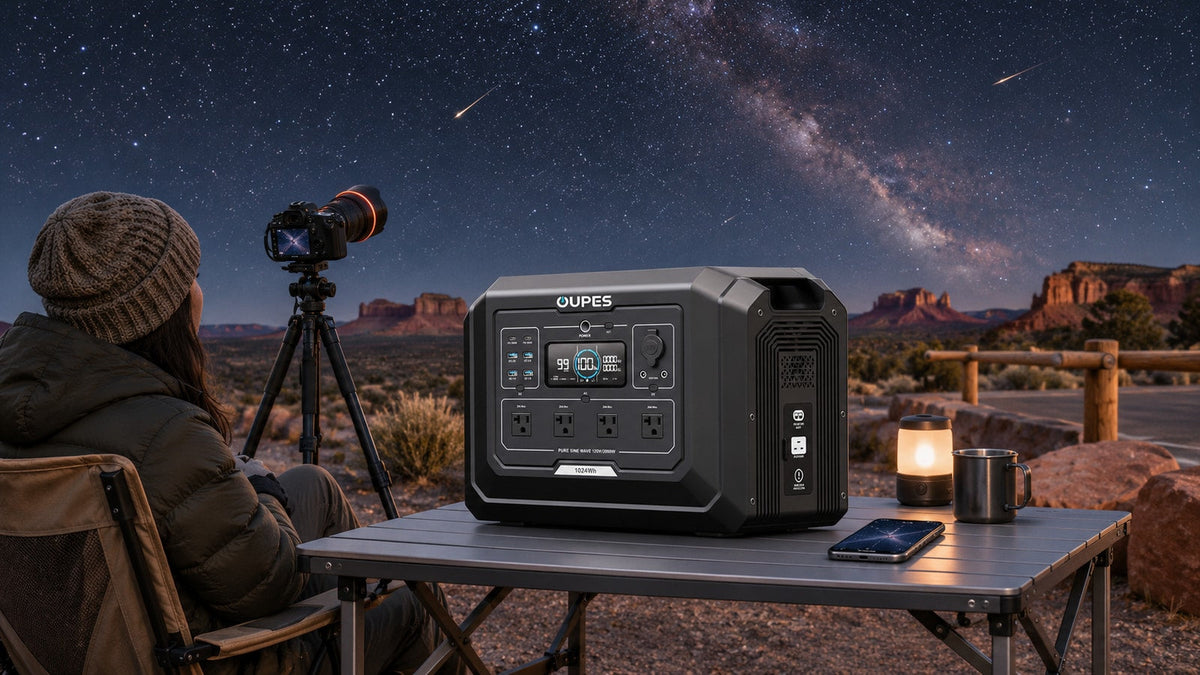
For the 2026 Leonids, budget continuous camera power, lens dew control and phone charging before travelling to a dark site. NASA points to the predawn hours of November 17–18 after moonset as a useful viewing window, but sky conditions and meteor counts remain uncertain. A small, measured load is often easier to support than a guess based on battery size alone.
Key Takeaways
- A camera battery or dummy-battery adapter, dew heater and phone each need a separate Wh line.
- Check the manufacturer-approved voltage and connector before using DC or USB-C power.
- Protect equipment from dew and cold, and keep a charged independent camera battery.
What NASA says about the viewing window
NASA’s November 2026 skywatching guide, updated November 3, identifies November 17–18 before dawn after moonset for Leonid viewing. It mentions up to about 15 meteors per hour under ideal conditions and says most viewers will see fewer. That is a skywatching estimate, not a photography yield. Cloud, local light, composition, lens field of view and chance decide what a camera records.
Check the local weather, moonset, site access and driving conditions just before departure. If the weather fails, the same energy worksheet still works for another night-sky session.
List every powered item in the photo setup
Start with the camera’s internal batteries. If using a manufacturer-approved external supply, count the camera or dummy-battery adapter’s actual draw, not the AC adapter’s maximum label. Add lens or telescope dew heaters as continuous loads; controller setting and ambient humidity change their average use. Include intervalometer, tracker, monitor and phone only if they are part of your real setup.
Measure representative operating watts at the chosen settings. A USB-C plug is not proof of compatibility: confirm voltage negotiation, current, cable rating and the camera maker’s approval. Keep a spare charged camera battery independent of the station. Our broader photography power guide covers mixed camera and laptop loads; the Leonids checklist focuses on a cold night and continuous dew control.
A five-hour night example
Assume, only for illustration, that a camera supply averages 8W for five hours, a dew heater averages 10W for five hours, phone charging uses 20Wh, and a low-output lamp averages 5W for three hours. The load is 8 × 5 + 10 × 5 + 20 + 5 × 3 = 125Wh. Using an illustrative 0.80 combined usable-and-conversion factor gives 125 ÷ 0.80 ≈ 156Wh nominal capacity. Adding a 20% reserve yields a planning target near 188Wh.
The example does not predict your real runtime. A laptop for image review, a stronger dew strip or a tracker can change the answer quickly. Record the maximum simultaneous watts as well as total Wh; the two figures answer different questions.
Choose a supply without oversizing the bag
A compact compatible source may cover the 188Wh demonstration. The current US OUPES Mega 1, at 1,024Wh nominal and 2,000W rated output, is more capacity than this one-camera example requires. It becomes relevant when several cameras, a laptop or repeated nights share a supply, and the tradeoff is more equipment to carry. Confirm the measured load, site access and the exact configuration before purchase.

OUPES Mega 1
- 1,024Wh nominal capacity for larger multi-device plans.
- 2,000W rated AC output; check each device and port.
- Best considered after a smaller one-camera budget is calculated.
Use original camera adapters on compatible AC outlets unless the equipment maker approves a specific DC method. Do not let a cable or power bank touch a wet surface simply because the station itself remains dry.
Set up safely in the field
Pick a legal location with stable footing and keep the station, plugs and adapters dry, elevated from damp soil when needed, and out of footpaths. Keep its vents unobstructed. Cold can reduce battery performance; check the specific station’s operating range and avoid charging outside its permitted temperature. Do not put the station inside a sealed bag to keep it warm.
Reserve a separate flashlight for packing up. During long exposures, turn off unnecessary screens or accessories and check remaining energy at intervals. If clouds move in, protect the gear and reassess rather than spending the whole reserve on an uncertain sky.
Frequently asked questions
Do I need a heater for every lens?
It depends on dew conditions and your equipment. If you use one, measure its average setting over a representative night.
Can a power station guarantee a full meteor sequence?
No. Runtime depends on measured loads, temperature, conversion loss and battery condition; visible meteors depend on the sky.
Is USB-C always more efficient than AC?
It can avoid an inverter step, but only a compatible, approved voltage and cable make it a sound option.

Leave a comment
This site is protected by hCaptcha and the hCaptcha Privacy Policy and Terms of Service apply.