


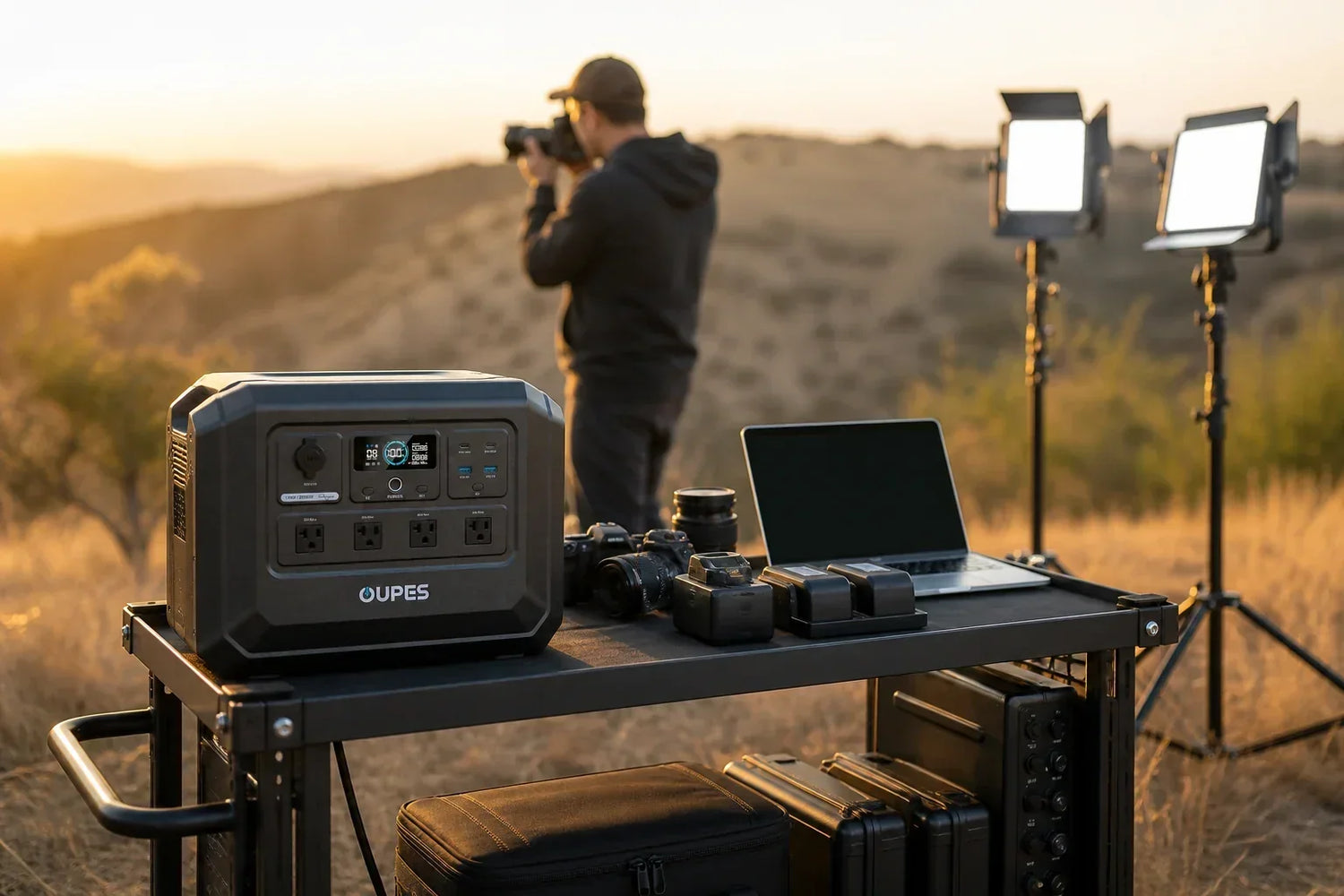
power station photography should be planned from the equipment you actually need, not from a category label or one optimistic runtime claim. For an outdoor photo shoot and a small on-location studio, record real watts, hours, startup behavior, connection requirements and charging opportunities before choosing a power source.
This guide uses American English and US OUPES product data. It separates portable plug-in backup from fixed electrical work, avoids prices and promotions, and treats runtime as an estimate affected by load, conversion, temperature, battery condition and operating choices.
Quick Answer
Camera batteries use modest energy, while continuous lights, high-output strobes, monitors and workstation laptops can change the load profile. The dependable sequence is connection compatibility first, simultaneous watts second, stored watt-hours third and recharge strategy fourth. If any one of those fails, a larger marketing number elsewhere will not repair the plan.
For this article, the working load is camera chargers, a laptop, LED panels, a monitor and data-storage devices. That example is a teaching tool rather than a universal appliance chart. Read each nameplate or manual, measure a representative operating period when practical, and keep a reserve instead of planning to reach an empty battery.
Understand the Core Numbers
Separate capture, lighting and data-management loads. Camera batteries and phones are usually modest; continuous LED fixtures, laptops, external monitors, printers and high-powered strobe packs can dominate. Record each charger’s AC input and whether multiple batteries will charge at once.
Plan redundancy around the shot list. Keep one charged camera set isolated from general production use, schedule laptop exports, and avoid using the last reserve on comfort loads. For remote work, protect connectors from dust and moisture and place cables where stands, carts and clients cannot disturb them.
Confirm charger input labels and manufacturer instructions. Do not power unknown damaged gear, overload a distribution strip or expose the station and connectors to rain, sand or traffic. Write this boundary at the top of the load sheet so another household member or travel companion does not make a different assumption under pressure.
The location changes the design. A dry indoor battery setup differs from a campsite, parking lot, RV compartment or detached shed. Plan ventilation, temperature, moisture protection, lifting, cable routing and access to controls. Keep exits and walkways clear, and never place equipment where a door, tire, chair or hot appliance can damage a lead.
Measure the Real Load
Create three lists: essential, useful and optional. Essential loads protect health, communication, food or the task that brought you off grid. Useful loads improve comfort or productivity. Optional loads can be disconnected when energy is scarce. This ranking prevents one convenient heating or cooking device from consuming the reserve intended for a full day of modest loads.
For every device, record input watts, likely startup demand, hours of use and overlap. Motors and compressors may need extra power at startup; thermostats cycle; chargers taper; electronics have standby draw. If a label lists volts and amps but not watts, consult the manual or manufacturer rather than guessing from a connector alone.
Then test the actual group. Operate the same devices, cables and power modes for a representative period. Note average watts, peaks and watt-hours removed from the battery. A short trial often reveals hidden loads, unintended chargers, aggressive display brightness or devices that restart together after an interruption.
A Transparent Runtime Example
Watts describe the rate of power now; watt-hours describe energy across time. The simple example here is 310W × 7 hours = 2,170Wh. Add the watt-hours of all loads, then add reserve for conversion loss, standby consumption, changing conditions and a delayed recharge. Do not present the result as guaranteed runtime.
Power is checked independently. Add devices that can run at the same moment and examine the highest credible startup event. The source’s documented continuous and surge behavior, each outlet limit and every cable or adapter must fit. More battery capacity cannot fix an undersized inverter, just as more inverter output cannot create missing energy duration.
| Planning check | Question | Decision rule |
|---|---|---|
| Connection | Are voltage, outlet and instructions compatible? | Stop if any detail is uncertain |
| Continuous power | What runs at the same time? | Stay within every documented limit |
| Startup power | Which motor or compressor starts? | Test or verify the requirement |
| Energy | How many watt-hours are needed? | Add reserve; do not use a perfect-runtime claim |
| Recovery | How will energy be restored? | Plan for weather and schedule delays |
Solar-panel watts are test-condition ratings, not guaranteed hourly delivery. Shade, cloud, season, angle, panel temperature, cable loss and the power station’s input limit change real production. Compare measured daily harvest with measured daily consumption; seeing the charging icon does not prove that the system is recovering all energy used.
Apply the Method to This Topic
Begin with the smallest practical operating mode. Run essentials first, then add useful loads only after observing the energy trend. Schedule high-power devices one at a time, pre-cool or pre-charge on grid power when possible, and turn off idle accessories. Load management often provides more useful duration than buying capacity without changing behavior.
Choose the backup category that matches the boundary. A portable power station stores energy for compatible plug-in loads. A solar-generator kit adds portable panel charging. A home-backup bundle adds expansion storage around a documented power station. Permanent building or grid-connected work is a different project requiring appropriate design, permits and professionals.
For relevant US browsing, explore portable power station collection, review outdoor power station guide, see the Mega Series, and compare the solar generator kits. These links organize compatible use cases; the current product page and manual remain the source for model-specific connections, included components and operating limits.
A Relevant OUPES Example
The US product table lists OUPES Mega 1 Lite Portable Power Station with 1,024Wh capacity, 2,000W rated output and up to 800W solar input for the power station. The recorded package is one Mega 1 Lite portable power station; no solar panel or expansion battery included. It is marked available for the US region in the current local product data.
Use those numbers in the correct order. First confirm the connection and individual outlet. Second keep normal and startup demand within the documented output. Third compare measured watt-hours with capacity and reserve. Fourth verify that charging can restore enough energy before the next operating window. A suitable calculation is evidence for further checking, not permission to ignore a manual.
This product is not a substitute for fixed grid interconnection or an automatically transferred whole-home system. It should not be described as running a specific appliance for a fixed number of hours without the appliance’s measured consumption and test conditions. Availability, package contents and model documentation should be confirmed again at purchase.
Common Mistakes and Safety Boundaries
- Confusing rated output in watts with capacity in watt-hours.
- Ignoring compressor, pump or motor startup demand.
- Adding nameplate watts without deciding which loads overlap.
- Assuming solar delivers its label wattage throughout the day.
- Using a physical plug fit as proof of voltage or system compatibility.
- Planning to empty the battery with no reserve for changed conditions.
- Improvising adapters, extension leads or connections to fixed wiring.
Inspect cords and connectors before use. Stop if a plug is loose, discolored, damaged, unusually warm or intermittent. Keep equipment dry, stable and ventilated within its manual. Do not place batteries near cooking heat, generator exhaust, standing water or vehicle traffic. Safety-critical and medical loads deserve a tested secondary plan.
Document a shutdown threshold and the loads that must remain powered below it. Store the load sheet, manuals and labeled cables with the equipment. If another user cannot identify the correct connection and operating sequence without guessing, simplify and retest the plan.
Practical Checklist
- Confirm the exact device labels and manuals.
- List continuous watts, startup demand and hours.
- Separate simultaneous output from daily watt-hours.
- Add a reserve for losses, weather and delayed charging.
- Verify voltage, outlets, grounding instructions and cables.
- Choose a realistic mains, vehicle or solar recharge path.
- Test the complete setup before an outage or trip.
- Keep fixed electrical work with qualified professionals.
Review the plan after equipment or seasons change. A new appliance, colder battery, hotter room, longer stay or shaded campsite can invalidate a previous margin. Record actual consumption and charging after each serious use so the next estimate begins with evidence instead of a generic chart.
Frequently Asked Questions
How do I size power for undefined?
List the exact devices, normal watts, startup demand and hours of use. Compare overlapping watts with rated output, total watt-hours with stored capacity, and preserve a reserve for losses and changed conditions.
Are watts and watt-hours the same?
No. Watts describe the rate of power at a moment; watt-hours describe energy used or stored over time. You must satisfy both the output and duration limits.
Can I use the whole battery capacity in a runtime promise?
No. Conversion loss, standby draw, temperature, battery protection, load cycling and battery condition affect energy delivered at the outlet. Use a range and test the real setup.
Does solar guarantee a full recharge every day?
No. Shade, clouds, season, panel angle, temperature, cable loss and the power station input limit change actual recovery. Keep reserve or another charging route.
Can a portable power station feed house or RV wiring?
Only through a documented compatible arrangement. Never backfeed a receptacle or improvise adapters. Fixed or distribution-panel connections require the correct equipment and professional assessment.
Why is OUPES Mega 1 Lite Portable Power Station used in this guide?
It is marked available in the current US product table and its listed output and capacity fit the planning example. Confirm the current product page and manual against the exact load before purchase.
Conclusion
A dependable answer to power station photography comes from a measured load list, correct connection, separate output and energy checks, realistic charging and a reserve. OUPES Mega 1 Lite Portable Power Station is a relevant US example for this planning direction, but the final choice must be verified against the current manual and the exact devices. Keep portable use within its documented boundary and place fixed connections with qualified professionals.
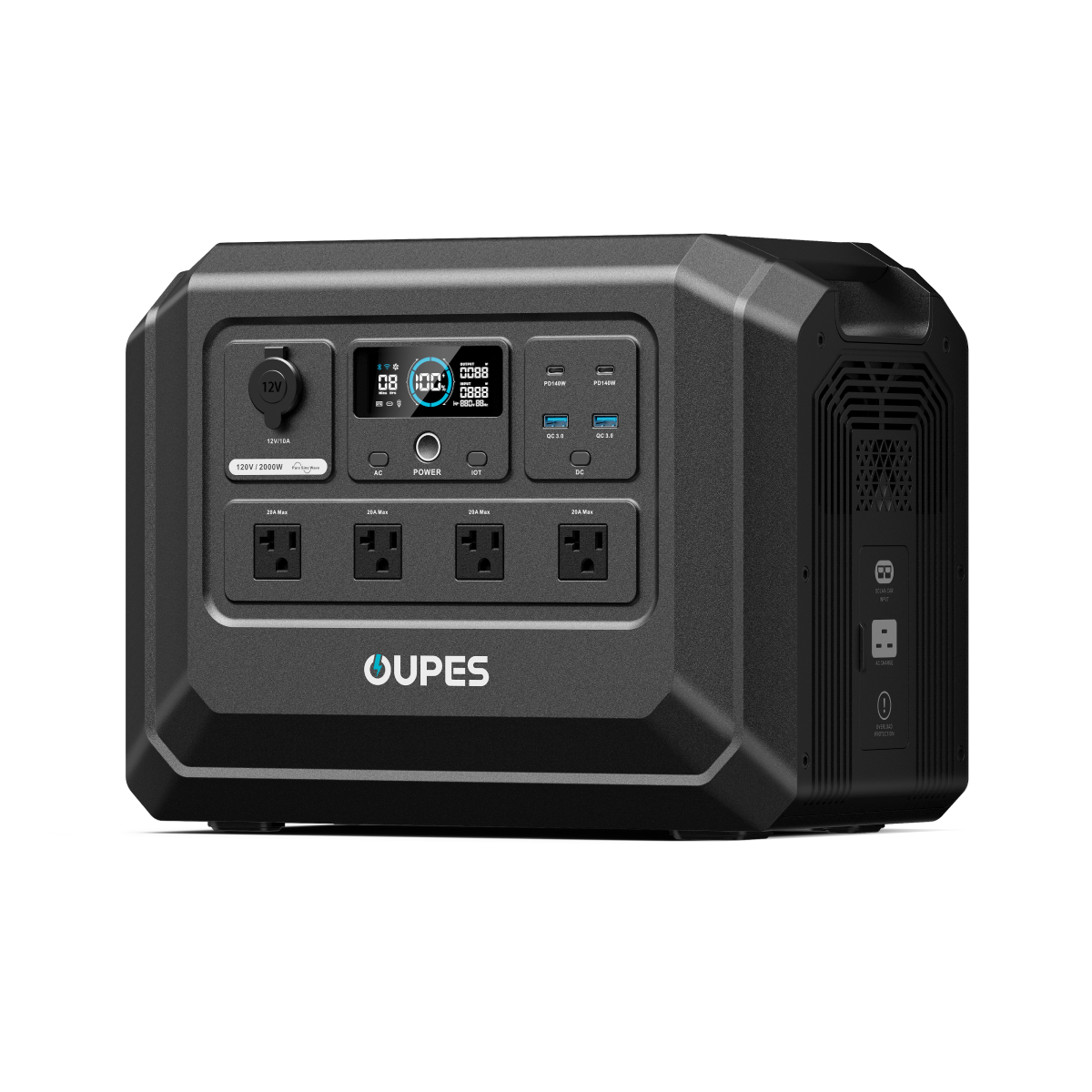
OUPES Mega 1 Lite Portable Power Station
- one Mega 1 Lite portable power station; no solar panel or expansion battery included
- 1,024Wh listed capacity
- 2,000W rated output
- Up to 800W solar input for the power station


Leave a comment
This site is protected by hCaptcha and the hCaptcha Privacy Policy and Terms of Service apply.