




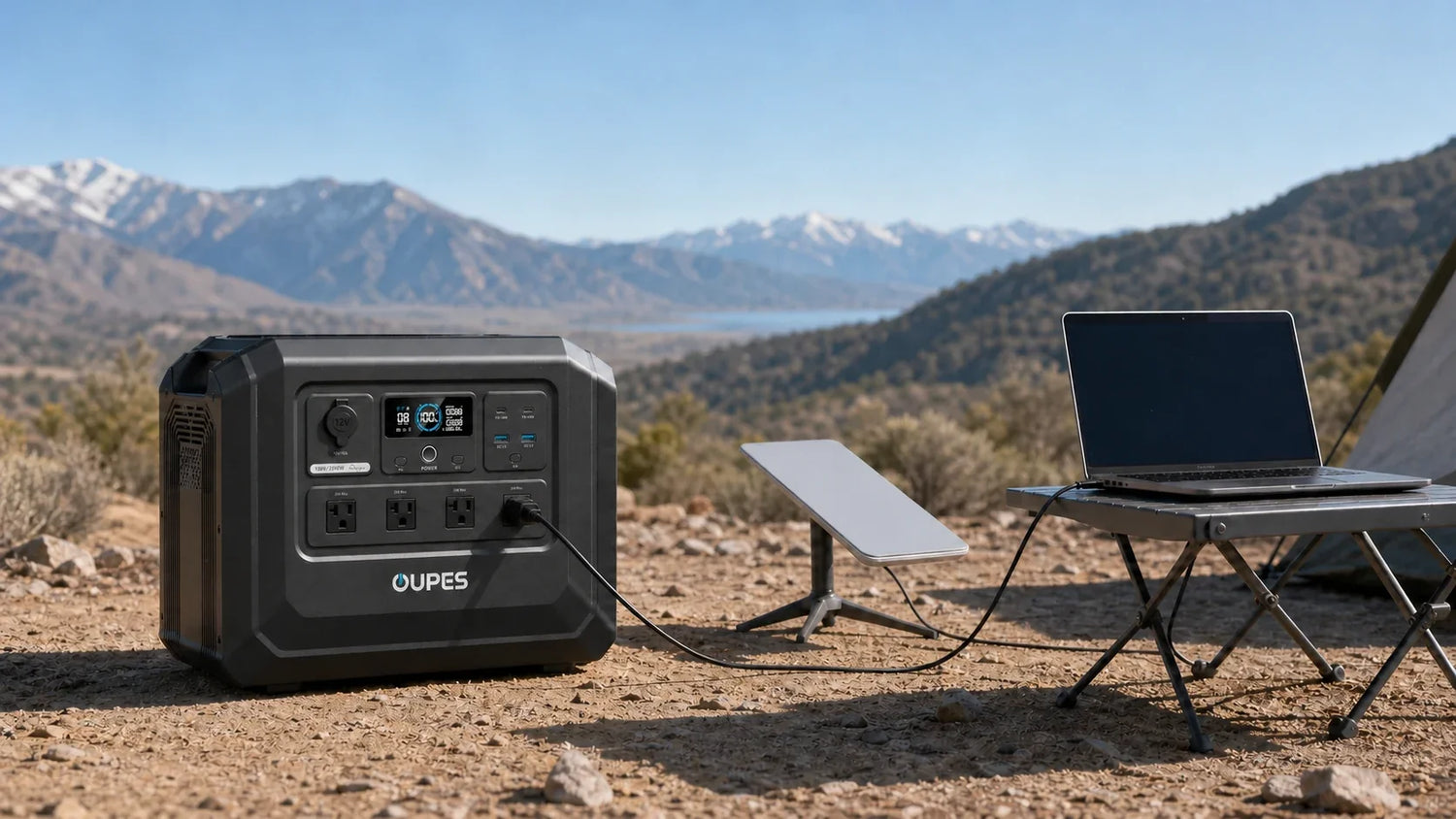
To choose a portable power station for Starlink hardware, first confirm the exact hardware version and its actual electrical demand. Then size the system for continuous watts, total watt-hours, inverter losses, operating time, weather, and realistic recharging. Do not rely on one fixed internet estimate: equipment versions, settings, network activity, temperature, and environmental conditions can change power use.
For a remote camp, the connection is only one part of the energy plan. Laptops, phones, lights, cameras, refrigeration, and other equipment may share the same battery. A reliable setup protects communications as an essential load and schedules optional loads around it.
Start With the Exact Hardware
Check the label, adapter, manual, and current manufacturer documentation for the exact satellite-internet hardware in your possession. Record its input requirements and any operating guidance. Different generations and configurations can have different power behavior, so a number remembered from another installation may not apply.
When possible, measure energy over a representative session rather than noting only an instant reading. Include startup, connection activity, ordinary use, idle periods, and any features that change power demand. Cold weather, heating functions, obstructions, updates, and network use may affect results. Use the measured average for runtime planning while keeping enough output margin for short variations.
Also verify the power path. If the equipment uses an AC adapter, the portable power station's inverter adds conversion losses. A supported direct-DC arrangement might differ, but use only approved equipment and instructions. Do not improvise cables, voltage conversion, or connectors.
Build a Remote Connectivity Load List
Imagine a remote US campsite where internet access supports work, weather checks, navigation updates, and communication. The essential system may include the satellite hardware, a laptop, and a phone. Lighting, cameras, a fan, or refrigeration may be useful but can be scheduled. Cooking equipment and resistance heaters may be deferred because they consume energy rapidly.
Build a table with watts and hours for every load:
| Priority | Example load | Information to record | Operating approach |
|---|---|---|---|
| Essential | Satellite internet hardware | Measured average W and daily hours | Protect a dedicated energy budget |
| Essential | Laptop and phone | Charging Wh and work schedule | Charge during planned sessions |
| Useful | Lights and camera batteries | Watts × hours | Use efficient settings and switch off |
| Scheduled | Cooler or refrigerator | Startup peak and cycling Wh | Avoid competing high loads at startup |
| Optional | High-watt cooking appliance | Actual input W and minutes | Use only when the reserve permits |
The priority list prevents a common failure: consuming the communications reserve on an optional device. Set a minimum battery percentage for essential connectivity and stop discretionary use before reaching it.
Calculate Output and Battery Capacity
First add the watts of devices that can operate simultaneously. This total must fit within the power station's rated output with appropriate margin. Include startup demand for any compressor, pump, or motor-driven equipment sharing the system. Satellite hardware and electronics may not require a massive inverter by themselves, but the rest of the campsite can change the output requirement.
Next calculate energy:
Daily energy in Wh = average watts × operating hours
Estimated runtime = battery capacity in Wh × planning efficiency ÷ average load in W
For an illustrative connectivity load averaging 90W for eight hours, the daily energy is 720Wh before conversion losses. If a laptop and phone add 250Wh, the subtotal becomes 970Wh. With an illustrative 85% planning efficiency, the battery capacity needed to cover that subtotal is about 1,141Wh before an additional reserve. Replace every example with measured data from the actual hardware.
A 1,024Wh power station cannot be assumed to deliver all 1,024Wh through an AC outlet. Inverter losses, system overhead, temperature, battery condition, and changing demand affect usable energy. Likewise, a device that cycles or changes power modes should be measured across time. Do not publish or depend on a fixed runtime promise without controlled, model-specific data.
Compare Grid and Solar Recharging
Grid charging before departure is the most predictable way to begin with a full battery. If the trip includes vehicle charging, confirm compatible cables, vehicle limits, safe operating conditions, and realistic driving time. Neither method replaces a daily energy budget.
Solar is useful for remote stays because it can replenish part of the day's consumption. Its output, however, changes with panel wattage, sun angle, shade, clouds, season, temperature, dust, cable losses, and the power station's input limit. A panel's rated watts are not guaranteed continuous output.
For a solar plan, estimate energy collected over useful sunlight rather than dividing battery capacity by panel rating alone. Position panels outside according to their instructions while protecting the power station and connections from unsuitable weather. Charge during stronger sunlight, reduce optional loads during poor conditions, and preserve enough battery for the night and the next morning.
Choose a Basic, Balanced, or Longer-Use Plan
Basic communications plan
Support the internet hardware, a phone, and limited laptop charging for defined sessions. Turn the system off when continuous connectivity is not required, if doing so is appropriate for the use case. Start with measured session energy and keep a reserve for weather checks or emergency communication.
Balanced remote-work plan
Add longer laptop use, efficient lighting, and scheduled charging for cameras or other electronics. Approximately 1kWh of battery capacity can be a useful starting class, but only the measured daily total determines whether it covers the schedule. Solar can extend the plan when conditions are favorable.
Longer-use or shared-load plan
If refrigeration, multiple workstations, or multi-day autonomy are required, calculate a larger energy budget and consider a solar-generator kit or expandable system. Separate simultaneous output from daily energy. More battery helps duration, while adequate inverter output and startup handling determine which loads can operate.
OUPES Options for the Scenario
The OUPES Mega 1 Lite Portable Power Station is a standalone unit with 1,024Wh capacity, 2,000W rated output, and up to 800W solar input according to the US product table. Those specifications provide room for a measured connectivity load plus selected compatible electronics. The unit does not include a solar panel or expansion battery in the listed composition.
For users who want a bundled panel, the Mega 1 + 240W Solar Panel Solar Generator Kit combines a 1,024Wh, 2,000W main unit with one 240W panel. The main unit supports up to 800W solar input, but the included panel is 240W; do not confuse the input ceiling with the panel supplied. Actual generation remains weather-dependent.
Neither option creates a guaranteed number of connectivity hours. Hardware demand, other loads, inverter losses, temperature, solar conditions, and battery state must be included. The standalone model is appropriate when a user already has a compatible charging plan; the kit is appropriate when an included panel better matches the remote-use plan.
Remote-Use and Safety Checklist
- Identify the exact satellite-hardware version and follow its current manufacturer instructions.
- Measure a realistic work or communication session, including all adapters.
- Budget laptops, phones, lights, refrigeration, and other shared loads separately.
- Keep a defined reserve for communications and weather information.
- Use only approved cables and avoid improvised DC conversion or connectors.
- Place the power station on a stable, dry surface with vents clear.
- Keep cables protected from vehicles, foot traffic, moisture, and sharp bends.
- Estimate solar conservatively and prepare for a cloudy day.
- Test the entire setup before traveling beyond easy access to utility power.
Frequently Asked Questions
How many watts does Starlink use?
Power demand varies by hardware version, operating mode, activity, environment, and settings. Check the label and current manufacturer documentation for your exact equipment, then measure a representative session if possible. Avoid selecting a battery from a single generic wattage figure found for a different version.
How long will a 1024Wh power station run it?
Divide estimated usable watt-hours by the measured average load, then account for other connected devices. AC inverter losses, system overhead, temperature, battery condition, and changing hardware behavior affect the result. Preserve a communications reserve rather than planning to use the battery's full nameplate capacity.
Is a 2000W inverter necessary for satellite internet?
The internet hardware alone may not require that much output, but the total campsite load can. Add every simultaneous device and check startup demand for refrigeration or tools. A higher output rating provides flexibility only when the energy capacity and load plan also support the intended use.
Can a 240W solar panel keep the system running indefinitely?
No fixed outcome can be promised. Daily generation changes with sun, clouds, shade, season, temperature, angle, panel condition, and losses. Compare conservative expected solar watt-hours with the measured daily load, and retain battery reserve for overnight use and poor-weather periods.
Should I choose a portable power station or a solar generator kit?
Choose the standalone station if its capacity and output fit and you already have a suitable charging plan. Choose a kit when an included compatible solar panel supports the remote-use plan. Confirm the exact kit composition; solar-input capability does not mean a panel is automatically included.
Can I leave the setup outside in rain or extreme temperatures?
Do not assume so. Follow the environmental and operating limits in each product's manual. Keep the power station and connections dry, stable, and ventilated, and protect cables from damage. Temperature can also affect battery performance and runtime, so plan storage and operation accordingly.
Conclusion
The best portable power plan for Starlink begins with the exact hardware and a measured energy budget. Calculate simultaneous watts, daily watt-hours, losses, other campsite loads, and realistic charging. Protect a communications reserve and treat solar as variable. Only then choose between a standalone power station and a solar-generator kit that fits the real remote-use schedule.
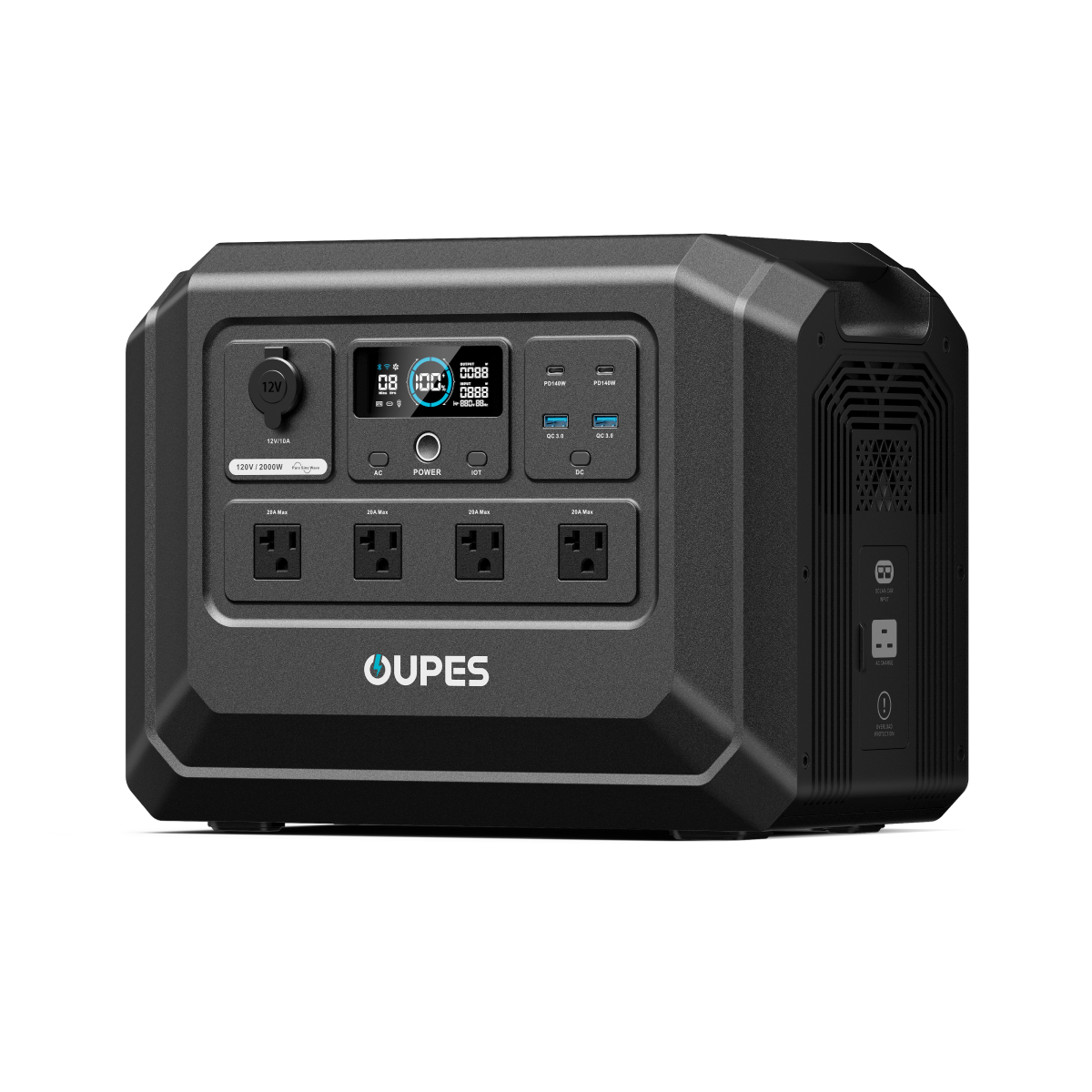
OUPES Mega 1 Lite Portable Power Station
- 1,024Wh capacity for planned remote connectivity loads
- 2,000W rated output for compatible shared equipment
- Up to 800W solar input supported by the power station
- Standalone unit with LiFePO4 cells, UPS, and app control


Leave a comment
This site is protected by hCaptcha and the hCaptcha Privacy Policy and Terms of Service apply.