


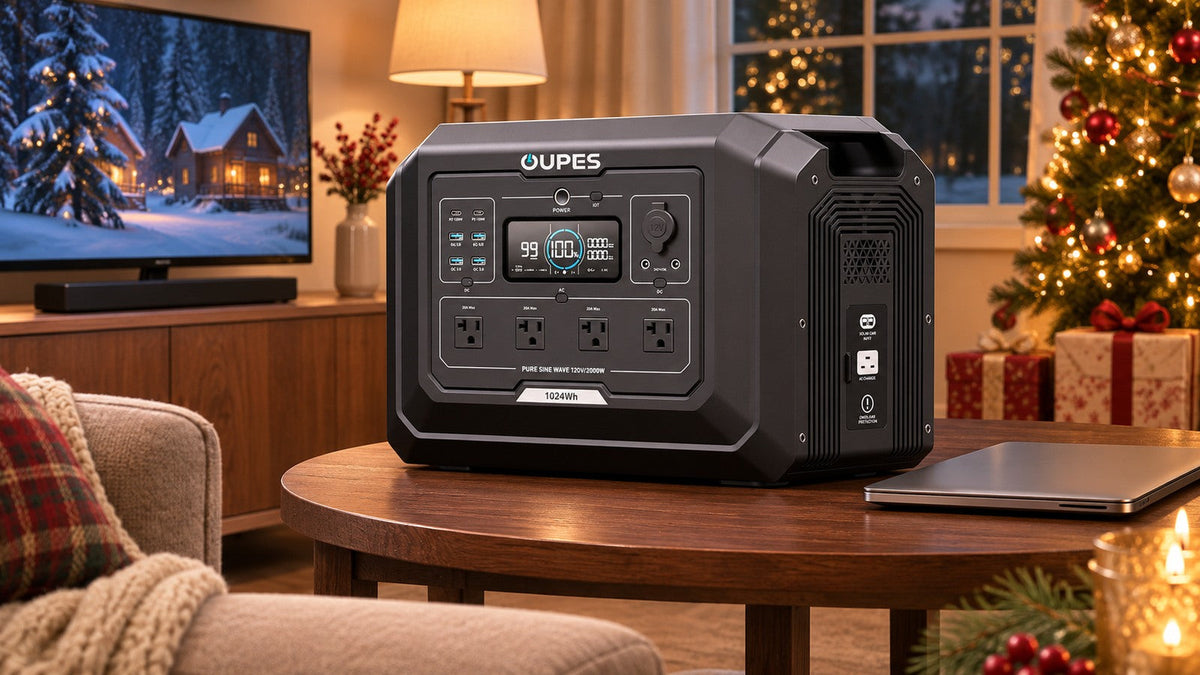
Before buying holiday electronics or a backup battery, list the devices you want running together, measure their watts in realistic modes, and calculate watt-hours for the desired outage period. A TV’s energy label or a laptop adapter’s maximum rating is useful context, but neither alone proves actual runtime. The new device may also change the load on your existing backup plan.
Key Takeaways
- Simultaneous watts determine output capacity; watts multiplied by hours determine stored energy.
- Measure the complete setup, including streaming box, router, sound system and chargers.
- Keep entertainment behind essential communications, lighting and medical needs when backup energy is limited.
Start with the new device, then the whole setup
ENERGY STAR’s holiday product guide lists televisions, speakers and sound bars, tablets and laptops among gift categories. Efficiency can help with ordinary electricity use, but backup planning starts with the exact products you own. A television may change draw with brightness and content; a sound bar may draw less while idle; a laptop charger label can exceed normal draw. Record the model, input rating and the mode you expect to use during an outage.
Count every device required for the experience. A TV without a working router or streaming device may not provide the service you expect. A laptop with its own battery may need only intermittent charging, while a desktop, monitor and network equipment draw continuously. If you need a work-focused plan, OUPES has a separate home-office backup sizing guide.
Do not confuse watts with watt-hours
Watts (W) describe instantaneous power. Watt-hours (Wh) describe energy over time. A 120W TV used for four hours consumes 480Wh if its draw stays at 120W. Add a 30W sound system for the same period and the two need 150W simultaneously and 600Wh over four hours. The station must satisfy both the simultaneous AC output requirement and the energy requirement.
To measure AC devices, use a suitable plug-in meter over a representative viewing or work session. Check device manuals for startup or operating peaks, especially if an accessory contains a motor. For USB devices, confirm port voltage, protocol and per-port limit; do not assume a USB-C plug guarantees the required charging profile.
A holiday living-room example
Suppose a family measures 115W for a television, 25W for a sound bar, 12W for a streaming box and 18W for a router. The simultaneous draw is 170W. For a three-hour film, energy delivered to those devices is 170W × 3h = 510Wh. If the family also charges a laptop at an average 45W for two hours, add 90Wh, bringing the planned load to 600Wh.
Using an illustrative 85% battery-to-device allowance, the stored-energy requirement becomes about 600 ÷ 0.85 = 706Wh. Add a separate 20% reserve for uncertainty: approximately 847Wh. These values are an example, not measured OUPES performance. If the laptop runs from its own charged battery, remove its charging energy; if a game console or projector is added, measure and add it. Never multiply every nameplate maximum by a full session and call the result measured consumption.
Choose output and capacity independently
Check the station’s continuous AC rating against the highest realistic combination, then check energy against the required hours. Outlet count, socket type and each port’s limit matter. The current US Mega 1 page lists 1,024Wh battery capacity and 2,000W rated output. It can be compared with the example’s 847Wh planning target, but the margin is modest if more devices or a longer outage are added. Use your own measured energy and verify the exact unit configuration before purchase.
One large capacity figure should not imply uninterrupted transfer. If a desktop or data device cannot tolerate a break, verify the exact transfer behaviour or use a suitable dedicated UPS.
Make the outage order explicit
Reserve capacity first for needs that cannot wait: medically required equipment according to its manufacturer’s instructions, essential communication, safe lighting and any food-safety plan. Entertainment is a discretionary tier. During a long outage, turning off the TV after a short update may preserve hours of router and phone charging. The exact trade-off depends on measured watts and the likelihood that the network itself remains available.
Pre-purchase checklist
- Measure the complete group at normal and brightest or busiest settings.
- Record desired hours for each device; not all need the same duration.
- Calculate total Wh and add one clearly stated loss allowance and reserve.
- Check AC voltage, continuous output, individual ports and plug format.
- Test the actual combination before relying on it during an outage.

OUPES Mega 1
- 1,024Wh battery capacity.
- 2,000W rated AC output.
- Confirm the exact local configuration before ordering.
Frequently Asked Questions
Does ENERGY STAR certification tell me backup runtime?
No. It helps compare energy efficiency under defined conditions; runtime depends on your actual wattage, hours, battery energy and losses.
Can I use the laptop charger’s 100W label as average use?
Treat it as an upper input clue, not an average measurement. Actual draw varies with workload and battery charge.
Should I run a TV during a power cut?
Only after essential loads have a suitable energy reserve. A short information check can use less energy than hours of entertainment.
Will a larger battery solve an output mismatch?
No. Capacity in Wh cannot override AC, USB or per-port output limits.



Leave a comment
This site is protected by hCaptcha and the hCaptcha Privacy Policy and Terms of Service apply.